


Nintendo DS lite
Introduction
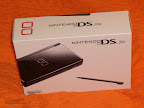 After Nintendo revamped their Game Boy Advance as an SP-version, they redid their Nintendo DS one year after the European launch. The new "lite" version is not only much more compact, it also has better displays and longer battery life.
Included in delivery
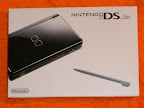
The Nintendo DS lite is shipped with a replacement-Stylus, manuals in English, German, French, Netherlands, Spanish and Italian, health and safety precautions booklet, some ads and an invitation to the "Club Nintendo".
Unfortunately they don't include the wrist strap in the European releases, which would come in quite handy (especially when you're travelling a lot). The attachment point for the wrist strap still exists though so it is possible to attach a strap that could have come with your mp3 player (or Wiimote if you're clever).
Body
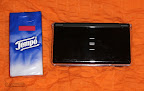 Nintendos newest handheld comes in many colours. The European market is offering black, white, silver and pink versions since quite a while, the new red, green and light blue versions are also available now. Each version costs about 145€.
There are more exclusive versions, like the "cobalt blue" or "crimson red" models that those lucky American bastards get. Since the DS is region free you can easily import those to europe, just keep in mind that you might need a power converter for the power supply. If you find a place that offers such imports you'd most likely end up at 175€ and up.
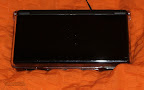
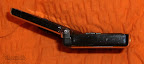
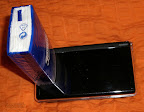 The device itself is very compact, lightweight, looks very well made and robust - except for the upper flap that seems to be a little thin and flimsy and doesn't raise too many expectations when you think about carrying the DS every day in a bag with quite a lot of other stuff.
The outer surface has a clear, reflecting plastic finish that is very sensible to fingerprints, especially the darker models while the inside has a more rough feel to it and doesn't reflect.
Even though the DS is very well made I had my doubts if it would survive for long in my quite stuffed bag. Luckily the aftermarket offers protective cases which will transform your DS into quite a sturdy monster. More on that later.
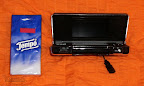 The volume slider (if you plan on using a protective case you better don't chew on your fingernails), headphone jack (with a special socket for DS headsets) and the Game Boy Advanced cartridge slot are positioned on the front.
The GBA slot is covered by a removable placeholder that protects the slot from any dust or dirt while covering the big hole quite well. People that have never had a DS in their hands in fact perhaps won't even notice that the DS has such a slot.
GBA games unfortunately are a little bit bigger than the slot so they will stick out a little bit, kinda like old Game Boy games did on the GBA but not that extreme.
Located on the right side are the power slider and the stylus (the plastic pen that is used to operate the touchscreen).
On the back you'll find the L- and R-buttons, the slot for DS games and a socket for the power supply.
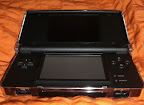
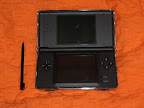 If you open the ds you'll immediately notice the two displays. The lower display is used as a touchscreen, which offers a completely new way of interacting with your gaming handheld - PDA users will feel at home right away.
The (rather small) D-pad is placed on the left side of the touchscreen, the (also very compact) A/B/X/Y-buttons and extremely small Start- and Select-buttons are located on the right side and the microphone is fitted betwen the two displays.
Ergonomics
Say goodbye to the times when your arms touched while playing on a handheld. Due to the widescreen format of the DS you'll hold it in a more open and relaxed position. Not every gamer will have his fun with the shape since there is a rather large tendency to get a cramp when you hold it like your traditional portable console - especially if you have big hands.
After you've gotten over your first cramps you'll most likely find a more comfortable playing position that suits your needs.
The D-pad has a pleasant soft feel to it but still offers sharp pressure points. The A/B/X/Y-buttons are about as soft but very controlled. The Start, Select, L- and R-buttons on the other hand do have a very distinct pressure point and feel rather hard.
Display
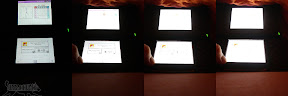
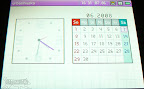 The first thing I noticed on the DS lite, was the display. While you might have had troubles with your GBA to find a good playing position or see anything at all on the old model, you'll never need to find a dim corner to play the DS. Four different brightness settings, ranging from "look, I have a backlit display" to "is that even legal" should satisfy all your needs. No matter if you're in a dark room or having the brilliant idea of playing in the bright sun at noon, the display will always be crisp, bright and offer brilliant colours.
Battery runtime depends very much on the brightness setting. While you'll get 5-8 hours with the highest "well done" setting (you won't be able to see for much longer than this period of time since that setting most likely will make you blind), you can have mindblowing 15-18 hours of pure playing time on the lowest setting (which is bright enough for dark rooms but definitely not sufficient for your "urban" needs).
Sound
The Nintendo DS lite does offer stereo sound and thanks to the two integrated speakers you don't need headphones to get it. Many games also offer a "surround" mode where surround sound is simulated by using only two speakers.
The quality is, considering that you're playing on a handheld, surprisingly good, but the technical limitations of the hardware are very present. Highly compressed sound coming out of the speakers, reminding one of early sound output where you did understand what was meant but you didn't want to hear it all the time, doesn't blow you away.
While Marios voice in his many titles being played back in a rather thin way may have a certain charm, it still lacks good sound.
Multiplayer
During the era of the Game Boy you had to have a link cable and a friend, luckily Nintendo made the step into the new millennium and offers wireless multiplayer. Multiple Nintendo DS communicate wirelessly and games are starting to offer online play. Online play, on a handheld!
Sadly you don't always get all multiplayer modes available for online play and you do need a WiFi connection to actually play online (which must be unencrypted or use only WEP-encryption - which basically is unencrypted WiFi). You could buy an USB adapter for 35€ but only the DS is allowed to use that so buying a normal WiFi adapter probably is the better deal (unless you're paranoid about having your neighbours surfing through your internet access).
Many games do offer a "download play" function that allows you to play a game in multiplayer with only one cartridge but don't get your hopes up, some of these games also cut back on the content when you're using the download play function. Often you are limited to a few gaming modes and characters or levels.
Games
A console needs games. Luckily the DS offers a wide variety of games and there is the big selection of Game Boy Advance games you could play. The latter is of little help to persons like me who don't have any GBA games - but at least you can get them very cheap nowadays. The DS doesn't play Game Boy Color or even the old Game Boy games.
The touchpad and microphone offer completely new ways to interact with games, even though it can be a little bit awkward to shout into your DS while sitting in the tube. Menus and dialogues can be used very comfortable by tapping, puzzle games don't require you to do a D-pad workout any more and the good old "point & click" principle transforms pretty well to the handheld.
There are still manufacturers that don't know how to use that technology well and fill their D-Pad games with touchscreen gimmicks that don't really fit into the game design and seem more randomly placed than what some Wii games want you to do.
In some games you'll suddenly have to stop using the D-pad and grab the stylus to draw some lines, before you're back to using the buttons. When the stylus is used as an alternative to a good button layout, this can really become bothersome, especially when there is a bad gesture recognition system in the game.
It isn't easy to find really excellent and impressive titles in the big gaming repertoire of the DS. Children and girls will be happy to hear that there is a large selection of fitting games, hardcore games on the other hand won't find that many games do play. Since the DS still is a rather new console, even though it came out around four years ago (and the DS lite two years ago), you'll still find that there are many titles in development.
Anybody that doesn't just play over-the-top titles will have enough material to play to last for the upcoming years.
Homebrew - or: something different
Basically homebrew is nothing else than using custom made programs/games on consoles or handhelds, however it is a rather ambivalent topic. Many people only see the possibility to play pirated games by using flash adapters (comparable to mod chips in consoles but they don't require any modification on the hardware itself) or even think that it is possible to create pirated copies by using such an adapter - which is completely wrong.
While piracy always is a part of the whole homebrew scene you'll find many brilliant programmers that offer great self-made games and tools for free that turn your DS into a mobile media player, run Linux or give you a chance to replay those good old games again. Aside from the cost for the flash card you don't pay a thing, sadly some people also use those cards to download pirated copies of commercial games.
The legal situation on using homebrew software isn't that clear (aside from using pirated games of course) since the manufacturers of the consoles don't get any license fees for that software but then again, can they prevent you (legally) from using the hardware they provide?...
Recommended additions to your DS
The previously mentioned flimsy top flap did a good job in encouraging me to buy a protective case. Such "protective case" or "crystal case" products are available from different manufacturers. Installation is easy, just push your DS lite gently into the case and everything snaps into place. There are openings for the stylus, headphone (and headset) jack, power and volume slider, DS and GBA slots as well as for the L- and R-buttons. There is enough space left so that you can easily use anything.
Depending on the quality you might end up with a case that doesn't fully close and leaves a small opening but that is more a visual problem.
The DS makes quite a sturdy impression when it is protected by such a case and looks as if it might survive a sudden encounter with the floor once or twice.
With around 10€ you don't spend too much money and there really is no reason why not to get one. It also protects your DS from scratches and wear traces - which could improve resell value.
Some people may find it strange to touch a liquid crystal display with a plastic stick. There are protective films to protect the DS screens which you could buy from one of the many manufacturers but I really recommend you'd buy the Hori one. Most reviews of other protective films report many scratches and very questionable methods to remove air bubbles.
The Hori protective films do have the "Nintendo seal of quality" and they have earned it. They recommend the use of transparent tape to remove any dirt from the sticky side of the film or to lift/remove the film from the screen - the latter works great in theory but my version of transparent tape doesn't really stick well but there is no reason to remove the film since it fits perfectly and so far I haven't been able to scratch it.
Both films (one for each display) are applied very easily and are just a little bit smaller than the actual screens but the size difference is negligible.
A very good investment for just 6€, especially when you consider the price of a new touchscreen.
Game cases. Long gone are the times when you did get a game case with every Game Boy game. Since the DS games are roughly the size of digital camera memory cards you do have to take care when transporting them since they may break easily. Luckily you do get game cases for just about 1€ per piece (commonly sold as a six-pack containing six single cases or one big case that fits six games - each will cost you roughly 6€).
Conclusion
Nintendos dual screen console convinces through a long battery life, crisp displays, multiplayer functionality and new input methods but the flimsy upper flap, the many mistakes of game manufacturers that still haven't learned to use the touchscreen or microphone right, do spoil parts of the fun.
The extremely long battery life does encourage to use the DS outside of your own house and visit friends and being able to play games with just one cartridge does provide a lot of fun - if your friends do own such a "cool" Nintendo DS (lite).
It may seem a bit pricey but who is willing to pay around 145€ does got a solid handheld with online functionality, a wide array of games and has a chance to enjoy some "homebrew" software.
Images
After Nintendo revamped their Game Boy Advance as an SP-version, they redid their Nintendo DS one year after the European launch. The new "lite" version is not only much more compact, it also has better displays and longer battery life.Included in delivery
The Nintendo DS lite is shipped with a replacement-Stylus, manuals in English, German, French, Netherlands, Spanish and Italian, health and safety precautions booklet, some ads and an invitation to the "Club Nintendo".
Unfortunately they don't include the wrist strap in the European releases, which would come in quite handy (especially when you're travelling a lot). The attachment point for the wrist strap still exists though so it is possible to attach a strap that could have come with your mp3 player (or Wiimote if you're clever).
Body
Nintendos newest handheld comes in many colours. The European market is offering black, white, silver and pink versions since quite a while, the new red, green and light blue versions are also available now. Each version costs about 145€.There are more exclusive versions, like the "cobalt blue" or "crimson red" models that those lucky American bastards get. Since the DS is region free you can easily import those to europe, just keep in mind that you might need a power converter for the power supply. If you find a place that offers such imports you'd most likely end up at 175€ and up.
The device itself is very compact, lightweight, looks very well made and robust - except for the upper flap that seems to be a little thin and flimsy and doesn't raise too many expectations when you think about carrying the DS every day in a bag with quite a lot of other stuff.The outer surface has a clear, reflecting plastic finish that is very sensible to fingerprints, especially the darker models while the inside has a more rough feel to it and doesn't reflect.
Even though the DS is very well made I had my doubts if it would survive for long in my quite stuffed bag. Luckily the aftermarket offers protective cases which will transform your DS into quite a sturdy monster. More on that later.
The volume slider (if you plan on using a protective case you better don't chew on your fingernails), headphone jack (with a special socket for DS headsets) and the Game Boy Advanced cartridge slot are positioned on the front.The GBA slot is covered by a removable placeholder that protects the slot from any dust or dirt while covering the big hole quite well. People that have never had a DS in their hands in fact perhaps won't even notice that the DS has such a slot.
GBA games unfortunately are a little bit bigger than the slot so they will stick out a little bit, kinda like old Game Boy games did on the GBA but not that extreme.
Located on the right side are the power slider and the stylus (the plastic pen that is used to operate the touchscreen).
On the back you'll find the L- and R-buttons, the slot for DS games and a socket for the power supply.
If you open the ds you'll immediately notice the two displays. The lower display is used as a touchscreen, which offers a completely new way of interacting with your gaming handheld - PDA users will feel at home right away.The (rather small) D-pad is placed on the left side of the touchscreen, the (also very compact) A/B/X/Y-buttons and extremely small Start- and Select-buttons are located on the right side and the microphone is fitted betwen the two displays.
Ergonomics
Say goodbye to the times when your arms touched while playing on a handheld. Due to the widescreen format of the DS you'll hold it in a more open and relaxed position. Not every gamer will have his fun with the shape since there is a rather large tendency to get a cramp when you hold it like your traditional portable console - especially if you have big hands.
After you've gotten over your first cramps you'll most likely find a more comfortable playing position that suits your needs.
The D-pad has a pleasant soft feel to it but still offers sharp pressure points. The A/B/X/Y-buttons are about as soft but very controlled. The Start, Select, L- and R-buttons on the other hand do have a very distinct pressure point and feel rather hard.
Display
The first thing I noticed on the DS lite, was the display. While you might have had troubles with your GBA to find a good playing position or see anything at all on the old model, you'll never need to find a dim corner to play the DS. Four different brightness settings, ranging from "look, I have a backlit display" to "is that even legal" should satisfy all your needs. No matter if you're in a dark room or having the brilliant idea of playing in the bright sun at noon, the display will always be crisp, bright and offer brilliant colours.Battery runtime depends very much on the brightness setting. While you'll get 5-8 hours with the highest "well done" setting (you won't be able to see for much longer than this period of time since that setting most likely will make you blind), you can have mindblowing 15-18 hours of pure playing time on the lowest setting (which is bright enough for dark rooms but definitely not sufficient for your "urban" needs).
Sound
The Nintendo DS lite does offer stereo sound and thanks to the two integrated speakers you don't need headphones to get it. Many games also offer a "surround" mode where surround sound is simulated by using only two speakers.
The quality is, considering that you're playing on a handheld, surprisingly good, but the technical limitations of the hardware are very present. Highly compressed sound coming out of the speakers, reminding one of early sound output where you did understand what was meant but you didn't want to hear it all the time, doesn't blow you away.
While Marios voice in his many titles being played back in a rather thin way may have a certain charm, it still lacks good sound.
Multiplayer
During the era of the Game Boy you had to have a link cable and a friend, luckily Nintendo made the step into the new millennium and offers wireless multiplayer. Multiple Nintendo DS communicate wirelessly and games are starting to offer online play. Online play, on a handheld!
Sadly you don't always get all multiplayer modes available for online play and you do need a WiFi connection to actually play online (which must be unencrypted or use only WEP-encryption - which basically is unencrypted WiFi). You could buy an USB adapter for 35€ but only the DS is allowed to use that so buying a normal WiFi adapter probably is the better deal (unless you're paranoid about having your neighbours surfing through your internet access).
Many games do offer a "download play" function that allows you to play a game in multiplayer with only one cartridge but don't get your hopes up, some of these games also cut back on the content when you're using the download play function. Often you are limited to a few gaming modes and characters or levels.
Games
A console needs games. Luckily the DS offers a wide variety of games and there is the big selection of Game Boy Advance games you could play. The latter is of little help to persons like me who don't have any GBA games - but at least you can get them very cheap nowadays. The DS doesn't play Game Boy Color or even the old Game Boy games.
The touchpad and microphone offer completely new ways to interact with games, even though it can be a little bit awkward to shout into your DS while sitting in the tube. Menus and dialogues can be used very comfortable by tapping, puzzle games don't require you to do a D-pad workout any more and the good old "point & click" principle transforms pretty well to the handheld.
There are still manufacturers that don't know how to use that technology well and fill their D-Pad games with touchscreen gimmicks that don't really fit into the game design and seem more randomly placed than what some Wii games want you to do.
In some games you'll suddenly have to stop using the D-pad and grab the stylus to draw some lines, before you're back to using the buttons. When the stylus is used as an alternative to a good button layout, this can really become bothersome, especially when there is a bad gesture recognition system in the game.
It isn't easy to find really excellent and impressive titles in the big gaming repertoire of the DS. Children and girls will be happy to hear that there is a large selection of fitting games, hardcore games on the other hand won't find that many games do play. Since the DS still is a rather new console, even though it came out around four years ago (and the DS lite two years ago), you'll still find that there are many titles in development.
Anybody that doesn't just play over-the-top titles will have enough material to play to last for the upcoming years.
Homebrew - or: something different
Basically homebrew is nothing else than using custom made programs/games on consoles or handhelds, however it is a rather ambivalent topic. Many people only see the possibility to play pirated games by using flash adapters (comparable to mod chips in consoles but they don't require any modification on the hardware itself) or even think that it is possible to create pirated copies by using such an adapter - which is completely wrong.
While piracy always is a part of the whole homebrew scene you'll find many brilliant programmers that offer great self-made games and tools for free that turn your DS into a mobile media player, run Linux or give you a chance to replay those good old games again. Aside from the cost for the flash card you don't pay a thing, sadly some people also use those cards to download pirated copies of commercial games.
The legal situation on using homebrew software isn't that clear (aside from using pirated games of course) since the manufacturers of the consoles don't get any license fees for that software but then again, can they prevent you (legally) from using the hardware they provide?...
Recommended additions to your DS
The previously mentioned flimsy top flap did a good job in encouraging me to buy a protective case. Such "protective case" or "crystal case" products are available from different manufacturers. Installation is easy, just push your DS lite gently into the case and everything snaps into place. There are openings for the stylus, headphone (and headset) jack, power and volume slider, DS and GBA slots as well as for the L- and R-buttons. There is enough space left so that you can easily use anything.
Depending on the quality you might end up with a case that doesn't fully close and leaves a small opening but that is more a visual problem.
The DS makes quite a sturdy impression when it is protected by such a case and looks as if it might survive a sudden encounter with the floor once or twice.
With around 10€ you don't spend too much money and there really is no reason why not to get one. It also protects your DS from scratches and wear traces - which could improve resell value.
Some people may find it strange to touch a liquid crystal display with a plastic stick. There are protective films to protect the DS screens which you could buy from one of the many manufacturers but I really recommend you'd buy the Hori one. Most reviews of other protective films report many scratches and very questionable methods to remove air bubbles.
The Hori protective films do have the "Nintendo seal of quality" and they have earned it. They recommend the use of transparent tape to remove any dirt from the sticky side of the film or to lift/remove the film from the screen - the latter works great in theory but my version of transparent tape doesn't really stick well but there is no reason to remove the film since it fits perfectly and so far I haven't been able to scratch it.
Both films (one for each display) are applied very easily and are just a little bit smaller than the actual screens but the size difference is negligible.
A very good investment for just 6€, especially when you consider the price of a new touchscreen.
Game cases. Long gone are the times when you did get a game case with every Game Boy game. Since the DS games are roughly the size of digital camera memory cards you do have to take care when transporting them since they may break easily. Luckily you do get game cases for just about 1€ per piece (commonly sold as a six-pack containing six single cases or one big case that fits six games - each will cost you roughly 6€).
Conclusion
Nintendos dual screen console convinces through a long battery life, crisp displays, multiplayer functionality and new input methods but the flimsy upper flap, the many mistakes of game manufacturers that still haven't learned to use the touchscreen or microphone right, do spoil parts of the fun.
The extremely long battery life does encourage to use the DS outside of your own house and visit friends and being able to play games with just one cartridge does provide a lot of fun - if your friends do own such a "cool" Nintendo DS (lite).
It may seem a bit pricey but who is willing to pay around 145€ does got a solid handheld with online functionality, a wide array of games and has a chance to enjoy some "homebrew" software.
Images
Labels: Nintedo DS lite, Review
posted by urbanhusky @ 21:53
1 Comments


